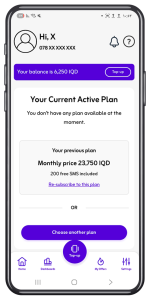
Your line may not currently be eligible for special offers. Keep checking the Special Offers section, as your line may become eligible later. During this period, you can benefit from the main plans available in the app and choose to activate them for one month or three months.
Special offers vary from one number to another. Keep checking the Special Offers section in the app regularly to see when your line becomes eligible and to benefit from the offers.
Special offers do not include free app usage. If you are looking for plans that include this feature, you can choose from the main plans available in the app and activate them for one month or three months.
To activate an offer, your current plan must be expired. Then open the oodi app, go to the “My Special Offers” section at the bottom of the home page, select the suitable offer, and tap “Activate”
Special offers are available for limited periods only. If an offer disappears, it means the offer period has ended. Keep checking the Special Offers section in the app to see the latest offers.
Offers appear automatically in the app when available. Keep checking the Special Offers section to see the latest offers that your line is eligible for.